
01 ASK METAMESH
Your AI assistant for everything.
Ask Metamesh anything and the broader web. Get fast, cited answers without switching between tools or tabs.
Broad exploration or highly specific queries
Every answer links back to its source for verification
Search across all connected sources simultaneously
Available via web and mobile

02 SHAREPOINT PRECISION
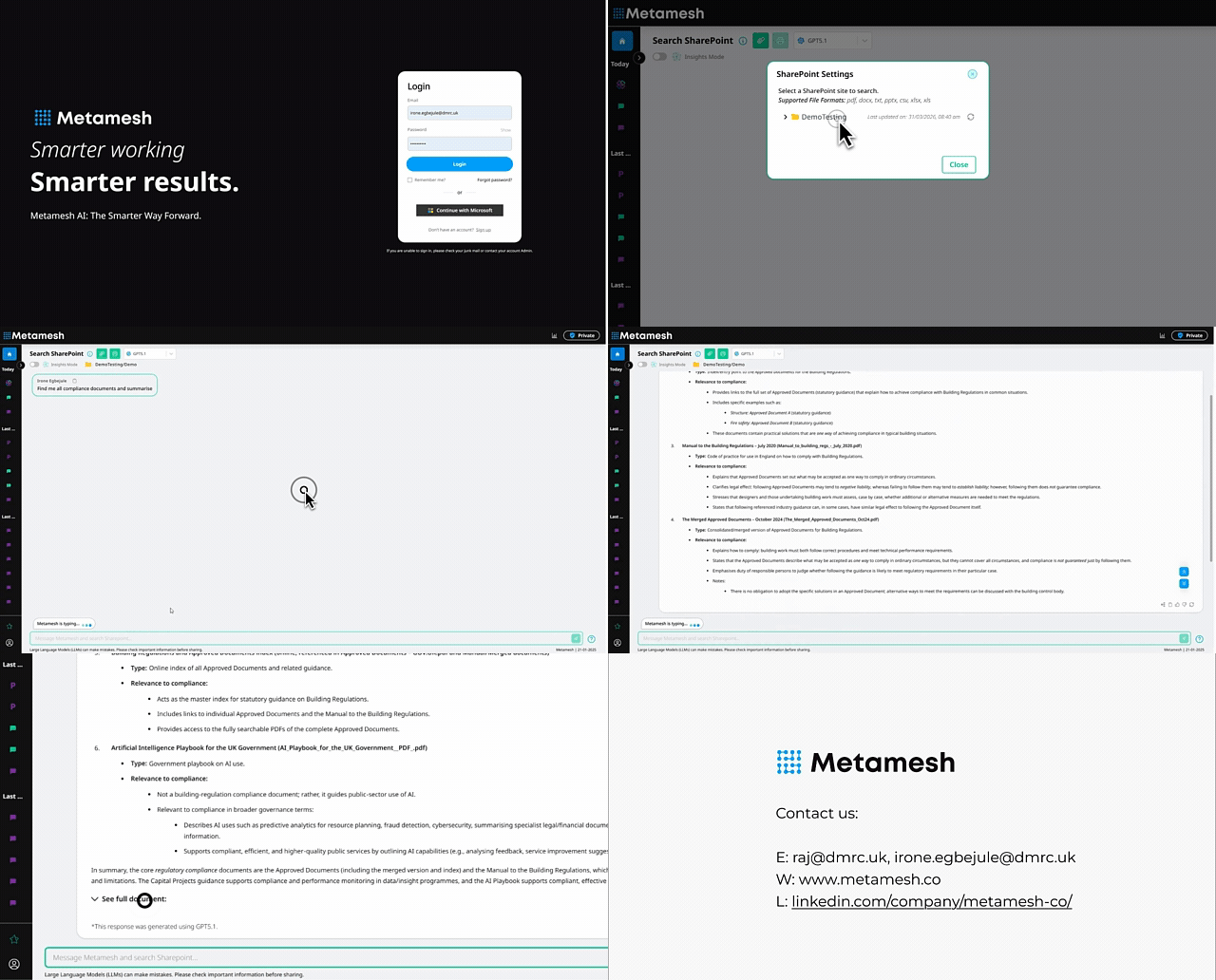
Find anything in SharePoint. Instantly.
Ask Metamesh anything and the broader web. Get fast, cited answers without switching between tools or tabs.
Searches across all sites, libraries, and document sets
Natural language queries, no need to remember file names
Results show file type, location, last modified, and author
Connects via standard Microsoft OAuth. No extra licences
Search inside documents, not just for them.
03 DOCUMENT INSIGHT
Metamesh doesn't just find the file, it reads inside it. Get direct citations to the exact paragraph, table, or clause you need, across PDFs, Word documents, spreadsheets, and more.
Deep search inside PDF, DOCX, XLSX, TXT, CSV, and more
Pinpoints exact page, paragraph, or cell, not just the file
Summarise long contracts or reports in seconds
Unlimited uploads on Business and Enterprise plans


Query your databases in plain English.
04 SQL ANALYSIS
No SQL knowledge required. Ask questions about your databases the way you'd ask a colleague. Metamesh translates, queries, and returns structured results instantly.
Natural language to SQL, no query writing needed
Works with Azure SQL, MySQL, PostgreSQL, and more
Returns tables, summaries, and trend analysis
Finance, ops, and non-technical teams can self-serve
Catch cost errors before they become problems.
05 COST VALIDATION
Metamesh analyses invoices, purchase orders, and budget data in real time, flagging discrepancies, overruns, and anomalies automatically so nothing slips through.
Real-time validation checks on invoice and purchase orders
Flags duplicates, overcharges, and missing POs
Works across all your connected SharePoint sites and folders
Instant summaries with direct links to the source documents


Cross-reference documents automatically.
06 DOCUMENT VERIFICATION
Define your compliance criteria once. Metamesh checks every document against them, flagging missing information, inconsistencies, and non-compliant content so your team doesn't have to.
Set custom criteria. Legal, compliance, procurement, or QA
Batch-check entire document libraries in seconds
Flags missing signatures, outdated references, or gaps
Outputs a structured report with pass / fail / review status
Search your 3D models in plain English.
07 IFC MODEL SEARCH
Ask questions about your BIM models without opening the software. Find components, extract quantities, and identify clashes using natural language conversation with your IFC files.
Query IFC models for components, specs, and quantities
Works without Revit, and more

Identify clashes and coordination issues by description
Ideal for PMs and QSs who need model data without the tools

Make Metamesh look like yours.
08 CUSTOM BRANDING
Put your brand front and centre. Match colours, upload your logo, and deploy a version of Metamesh that feels completely native to your organisation. Ideal for client-facing teams.
Upload your company logo which replaces the Metamesh branding
Set your primary and accent colours from a palette picker
Maintain a consistent, professional look across all teams
Available on Business and Enterprise plans
